Lists
The Lists step (present in older builds) allows users to specify site-specific entries under predefined categories, such as Signs and Electricty Grids. Users can create entries for the various types they wish to model, providing a clear and structured approach to managing site-related items.
Signs, Electricty Grids and Loader Operating Condtions will appear by defualt. Aadditional list types may become accessible through the use of plug-ins, allowing for further customization and flexibility.
List items are managed using the toolbar located at the top of the page. More information on the functions within the toolbar can be found in the Common User Controls page.
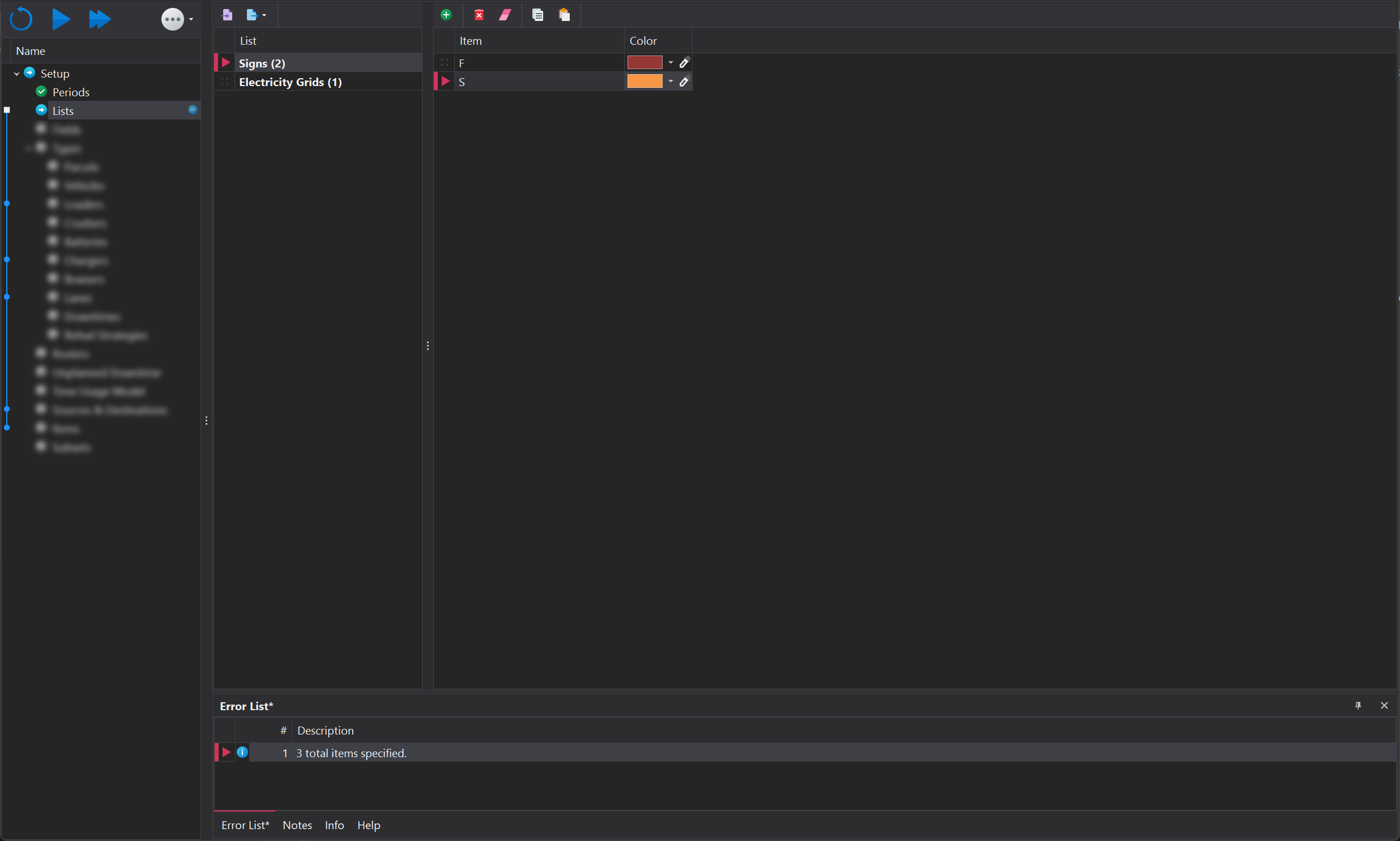
Signs
The software utilises variables to manage road speeds that users may want to adjust between simulation runs. This method streamlines the process, enabling users to easily test and analyse various scenarios without the need for manual configuration adjustments each time. By using variables, significant time savings are achieved, and the risk of errors is minimised, leading to smoother and more accurate simulations.
Some examples of variable applications for speed limits within an operation might be:
- On Bench/Lift: Speed limits for roads within a certain proximity to load units or tip heads.
- Main Road Network: Speed limits for the primary haul routes routes.
- Narrow Single Lanes: Speed limits for restricted-width lanes where manoeuvrability may be limited.

Naming Guidelines
Character Count
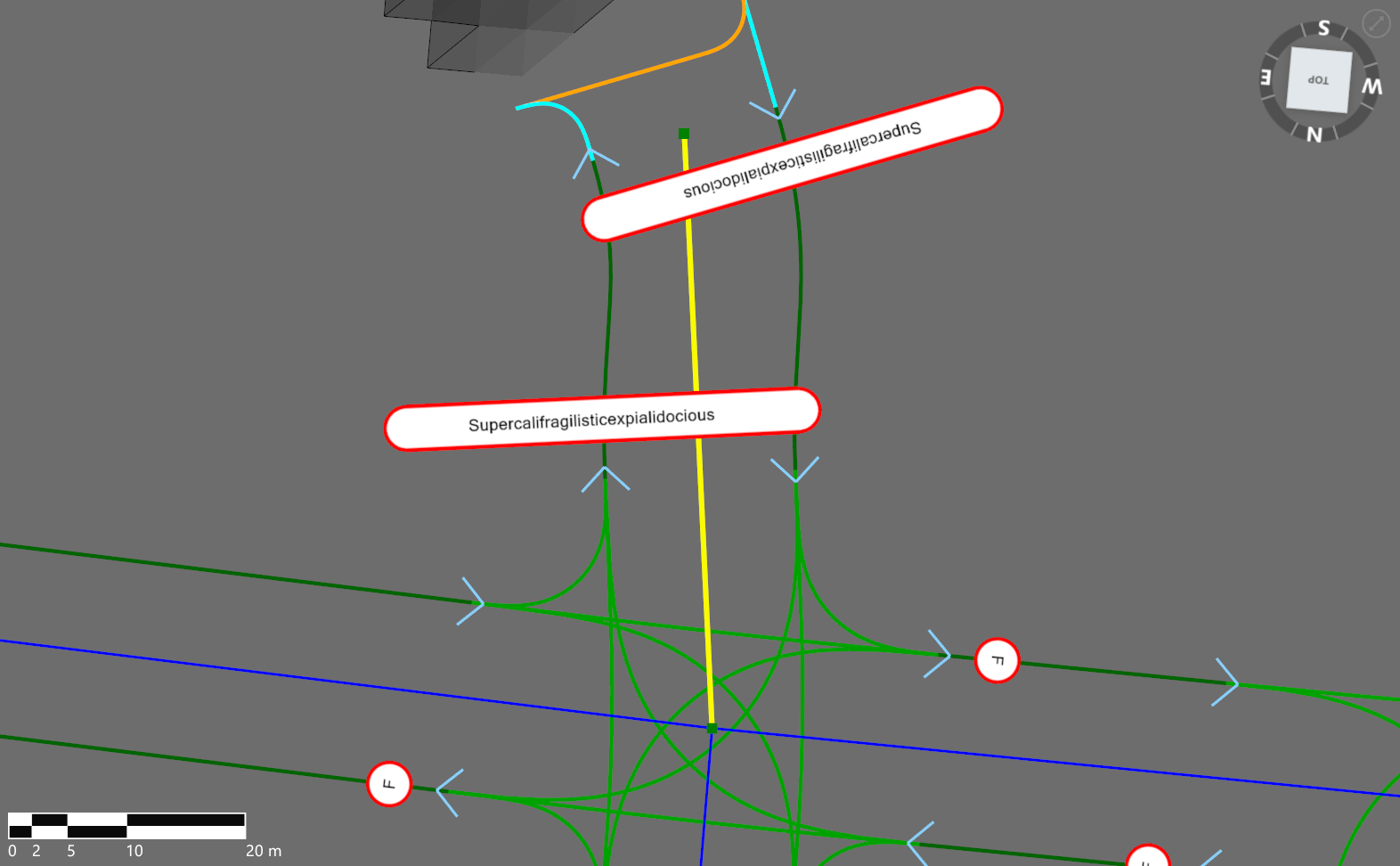
Keep sign names short to ensure they display neatly across different viewports. Longer names can appear cluttered and visually unappealing.
Designation
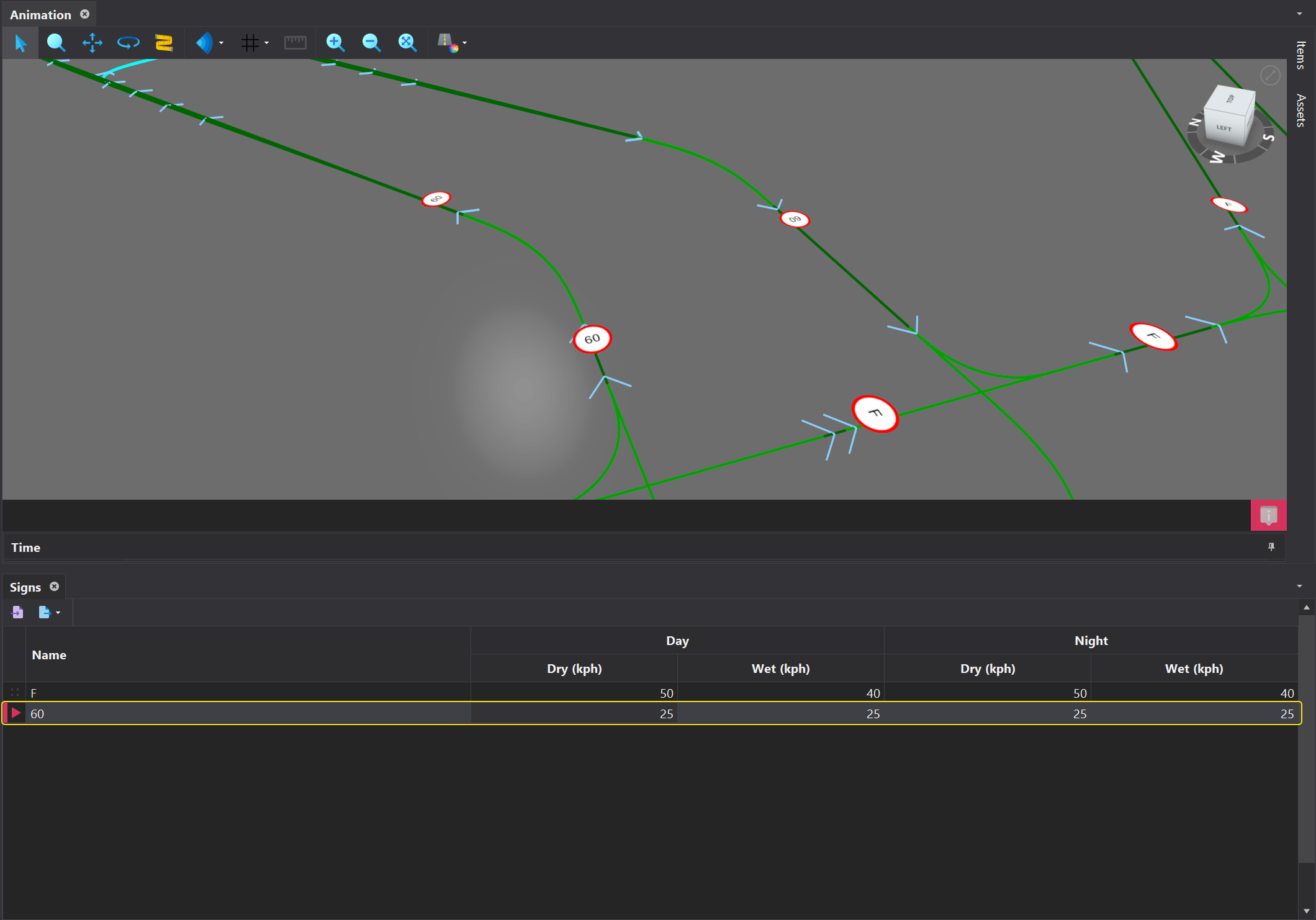
Avoid naming speed limits based on specific speeds, as its possible the actual speed along a segment may differ from what is indicated on the sign.
Electricity Grids
In this list, the on-site electrical grids must be defined. However, the actual capacity of the electrical grid is not specified until the 'Scenarios' tab, allowing for easy testing of different grid capacity scenarios.

Loader Operating Conditions
In the software, it's possible to model different Operating Profiles for loaders, such as hard and soft digging or experienced and inexperienced operators. The first step involves defining these Operating Profiles in the Lists step. Once defined, these profiles will flow through to all load unit models, which are set up in the Loaders step. This means that all load unit models will have 'Soft' and 'Hard' operating conditions, where the appropriate rate can be specified—provided that 'Soft' and 'Hard' conditions have been defined.
